



 All Models
 Compare Models

Best Phone for Selfies? Why TECNO CAMON Slim 5G Is a Strong Android Choice
Choosing a selfie phone is not just a matter of finding the highest megapixel number. A good front camera also needs to handle faces, group framing, lighting and everyday movement well enough for the way you actually shoot.
Direct answer: There is no single best selfie phone for everyone, but the TECNO CAMON Slim 5G is a strong Android option to consider in the Philippines. It combines a 32MP front camera with a large 6.78-inch AMOLED display, up to 144Hz refresh rate, 128GB or 256GB storage, and a 6000mAh battery. TECNO also lists Live Photo as a camera feature, giving Android users another way to preserve movement around everyday moments without switching to an iPhone.
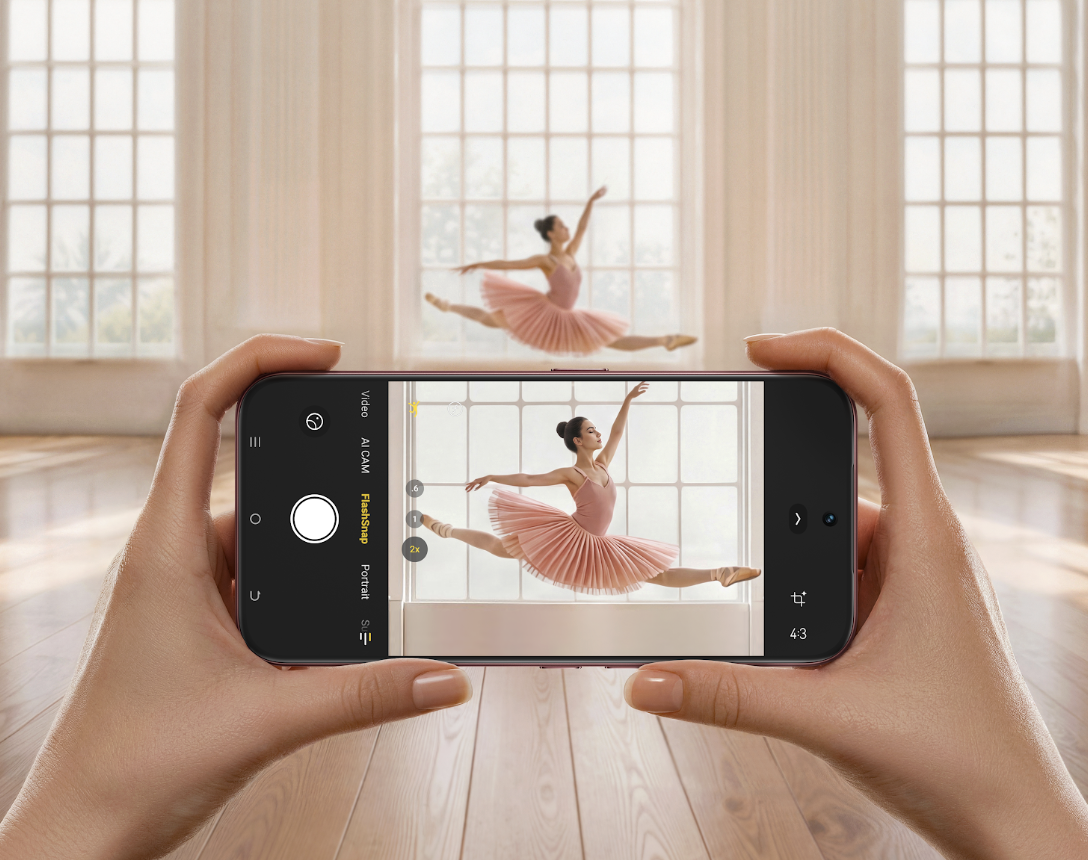 TECNO CAMON Slim 5G in an official camera demonstration. Image source: TECNO Philippines.
Best Phone for Selfies: What Should You Check?
The most useful way to compare selfie phones is to look beyond a single specification. Start with the front-camera resolution, then test how the complete camera experience behaves in real situations.
1. Front-camera resolution
Resolution affects how much detail a camera can record, but more megapixels do not automatically guarantee a better selfie. Lens quality, processing, focus, lighting and camera settings also influence the result. The CAMON Slim 5G has a 32MP front camera according to TECNO Philippines' official specifications, giving it a high-resolution foundation for selfies and group shots.
2. Skin texture and beauty settings
A selfie should still look like the person in front of the camera. When comparing phones, check whether skin texture remains believable and whether any beauty controls can be reduced or turned off. Take the same photo with beauty effects off, at a low setting and at your preferred setting. This reveals how much of the final look comes from the camera and how much comes from processing.
3. Lighting and exposure
Test the front camera near a window, under indoor lighting and with a bright background. Look at both the face and the background: is the face properly exposed, and are bright areas still visible? No camera can remove the need for good light, so a quick real-world comparison is more useful than judging specifications alone.
4. Framing for solo and group selfies
A flattering solo selfie and a five-person group selfie have different framing needs. Hold the phone at the distance you normally use and check whether everyone fits without pushing faces into the extreme edges. The 6.78-inch display on the CAMON Slim 5G provides a large preview area for composing the shot and checking expressions afterward.
5. Motion around the shutter
Selfies are rarely perfectly still. Someone laughs, blinks or turns just as the shutter is pressed. This is where a motion-photo feature can add practical value: instead of preserving only one frozen instant, it can retain a brief sense of movement around the shot.
 Official TECNO selfie sample associated with the CAMON Slim 5G's 32MP front camera. Final results still depend on lighting, distance and settings.
Why Is the CAMON Slim 5G a Strong Selfie Phone?
The CAMON Slim 5G brings together the features that matter before, during and after a selfie: a 32MP front camera for capture, a large AMOLED screen for framing and review, storage options for a growing photo library, and a high-capacity battery for a full day of everyday use.
- 32MP front camera: The official Philippine specifications list a 32MP front camera for selfies, group photos and video calls.
- Large, smooth display: The phone uses a 6.78-inch AMOLED panel with a hardware-level 1.5K resolution of 1208 × 2644 and a refresh rate of up to 144Hz. Refresh-rate behavior can vary by app, content and settings.
- Storage choices: Official specifications list 128GB and 256GB storage configurations, useful for users who keep many photos and motion-based captures.
- Everyday endurance: A 6000mAh battery and 45W charging support longer shooting, reviewing and sharing sessions. Actual battery performance varies with use and environment.
- Slim profile: The phone measures 6.39mm at its thinnest dimension. TECNO does not currently publish an official weight figure on the Philippine specifications page, so thinness should not be treated as proof that it is the lightest phone.
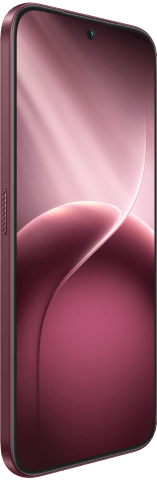 The CAMON Slim 5G features a 6.78-inch AMOLED display for composing and reviewing photos. Official TECNO product visual.
What Android Phone Can Take Live Photos Without Using an iPhone?
The TECNO CAMON Slim 5G is one Android phone to consider because TECNO officially lists Live Photo among its camera features. This makes it relevant for selfies, group photos, children, pets and candid moments in which the expression can change around the instant you press the shutter.
However, Live Photo is not one universal format across every phone brand. TECNO's implementation should not automatically be treated as technically identical to Apple Live Photos. Recording length, playback, editing controls, sound, export options and sharing compatibility may vary by software version, receiving device and app.
 Frame from TECNO's official CAMON Slim 5G Live Photo demonstration.
 A second frame from the same moving scene shows why motion context can matter.
How Live Photo can help with selfies
A normal photo records one instant. A Live Photo preserves a brief moving moment around the shutter press, so a laugh, head turn or changing expression does not disappear completely when the still frame is captured. This does not guarantee that every app can preserve or edit that motion, but it gives supported camera and gallery software more of the moment to work with.
What to confirm before relying on Live Photo
- Feature access: Open the current Camera app and look for a Live Photo control or camera mode. Exact menu placement can change with software versions.
- Playback: Check how the phone's Gallery displays the captured movement.
- Sharing: Send a test file through the apps you use most. Some destinations may preserve the motion, while others may receive only a still image.
- Editing and export: Confirm which controls are available on the phone's current software instead of assuming they match another brand's implementation.
- Storage: Motion-based captures generally contain more information than a single still image, so frequent use can consume storage faster.
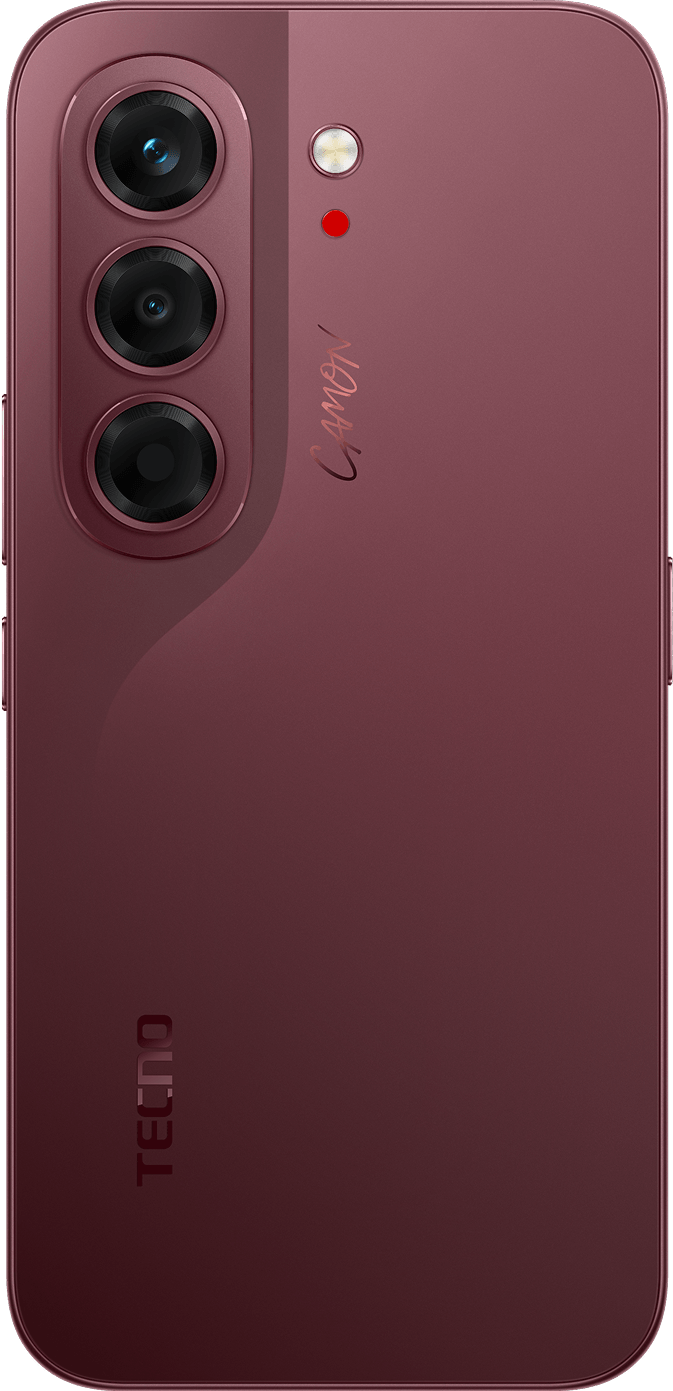 CAMON Slim 5G rear camera design in Burgundy Red. Official TECNO product visual.
How to Test Selfie Camera Quality Before You Decide
A short, repeatable test will tell you more than a long specifications list. If you can try the phone in person, use the same five checks on every device:
- 1. Clean the lens. Fingerprints can reduce contrast and make a good camera look soft.
- 2. Take a daylight selfie. Stand near a window or in open shade and look at skin texture, hair detail and background exposure.
- 3. Take a group selfie. Check whether everyone fits comfortably and whether faces near the edges look natural.
- 4. Test mixed light. Try a café, office or room with a bright window and see whether the camera keeps the face clear without losing the entire background.
- 5. Compare beauty settings. Capture the same image with effects off, low and at your normal preference.
Use the original files for comparison. Social apps often compress images, so screenshots and uploaded copies may not represent the camera's full output.
What About Rear-Camera Portraits and Group Shots?
Selfies are only one part of everyday people photography. When another person is taking the photo, the CAMON Slim 5G's rear system adds a 50MP Sony LYTIA 700C main camera with a 1/1.56-inch sensor and optical image stabilization, plus an 8MP autofocus ultrawide camera. TECNO also lists 24mm, 35mm and 50mm portrait options.
The main camera is the primary choice for everyday portraits, while the ultrawide camera is useful when more people or more of the setting needs to fit into the frame. OIS can help reduce the effect of small hand movements on the main camera, but it cannot guarantee a sharp result in every scene or freeze a moving subject by itself.
CAMON Slim 5G Specifications That Matter for Selfie Users
| Feature | Official specification | Why it matters |
|---|---|---|
| Front camera | 32MP | High-resolution foundation for selfies and group shots. |
| Live Photo | Listed camera feature | Preserves brief motion around everyday moments; behavior and compatibility may vary. |
| Rear main camera | 50MP; 1/1.56-inch sensor; OIS | Supports portraits and everyday photos when someone else is behind the camera. |
| Ultrawide camera | 8MP; autofocus | Helps fit larger groups or more of the surroundings into the frame. |
| Display | 6.78-inch AMOLED; 1.5K; up to 144Hz | Large preview area for framing, reviewing and selecting photos. |
| Storage and memory | 128GB or 256GB; 8GB RAM plus up to 16GB extended RAM | Room for photo libraries and everyday editing or sharing workflows. |
| Battery and charging | 6000mAh; 45W | Supports longer days of shooting, previewing and sharing. |
Who Should Consider the TECNO CAMON Slim 5G?
The CAMON Slim 5G deserves a place on the shortlist for users who want one Android phone for solo selfies, group photos, everyday portraits and motion-rich moments. Its strongest case is not one isolated number: it is the combination of a 32MP front camera, Live Photo, versatile rear cameras, a large AMOLED display, generous storage choices and a 6000mAh battery in a 6.39mm profile.
Users who need professional video controls, guaranteed cross-platform motion-photo compatibility or a fully color-managed editing workflow should confirm those requirements separately. Price, stock, colors, network compatibility and feature availability can also vary in the Philippines, so check the current local offer before buying.
Frequently Asked Questions
What is the best phone for selfies?
The best selfie phone depends on your preferred look, group-framing needs, lighting and budget. The TECNO CAMON Slim 5G is a strong Android option to consider because it combines a 32MP front camera with a large AMOLED display, Live Photo, 128GB or 256GB storage and a 6000mAh battery. Test beauty settings, lighting and group framing before deciding.
What Android phone can take Live Photos without using an iPhone?
TECNO officially lists Live Photo as a camera feature of the CAMON Slim 5G. It gives Android users a way to preserve brief motion around a photo, but its behavior should not be assumed to be identical to Apple Live Photos. Playback, editing and sharing compatibility may vary by software version and app.
Does the CAMON Slim 5G have a good front camera for group selfies?
It has a 32MP front camera and a large 6.78-inch display for framing and reviewing shots. Whether a particular group fits comfortably depends on shooting distance and composition, so test the number of people and framing you normally use.
Do more megapixels always mean better selfies?
No. Megapixels are only one part of camera quality. Lighting, lens quality, processing, focus, beauty settings and shooting distance can all change the final result.
Final Take
If your priority is a selfie-focused Android phone that also gives you a motion-photo option, the TECNO CAMON Slim 5G offers a balanced package to consider in the Philippines. The 32MP front camera answers the core selfie need, while Live Photo expands what can be preserved when expressions and movement do not fit neatly into one still frame.
Explore the TECNO CAMON Slim 5GOfficial Product Sources
TECNO Philippines: CAMON Slim 5G product pageTECNO Philippines: CAMON Slim 5G technical specifications
TECNO Philippines: Android Live Photo guide